When a Termite Swarm Breaks Through at 9:15 PM
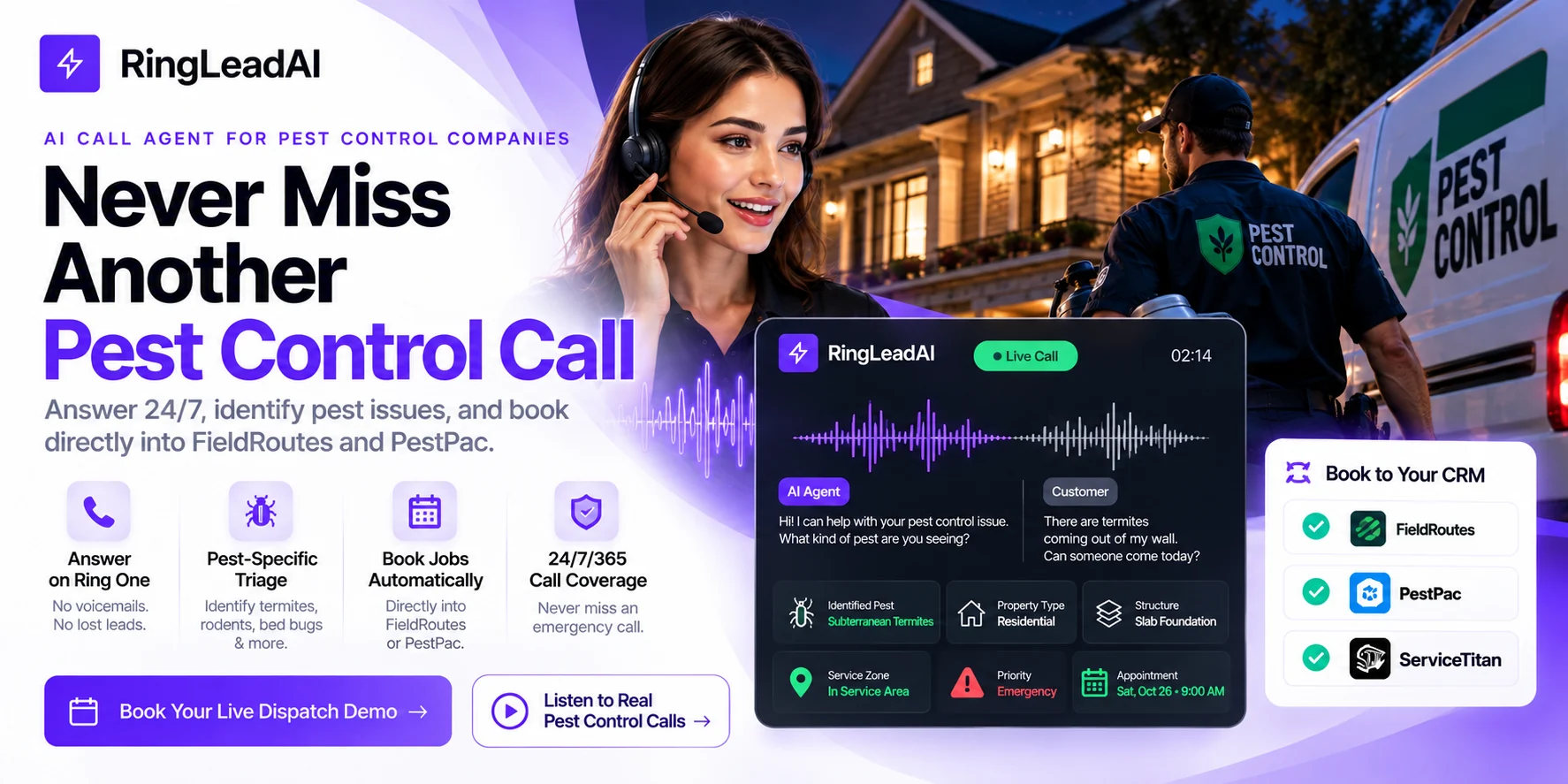
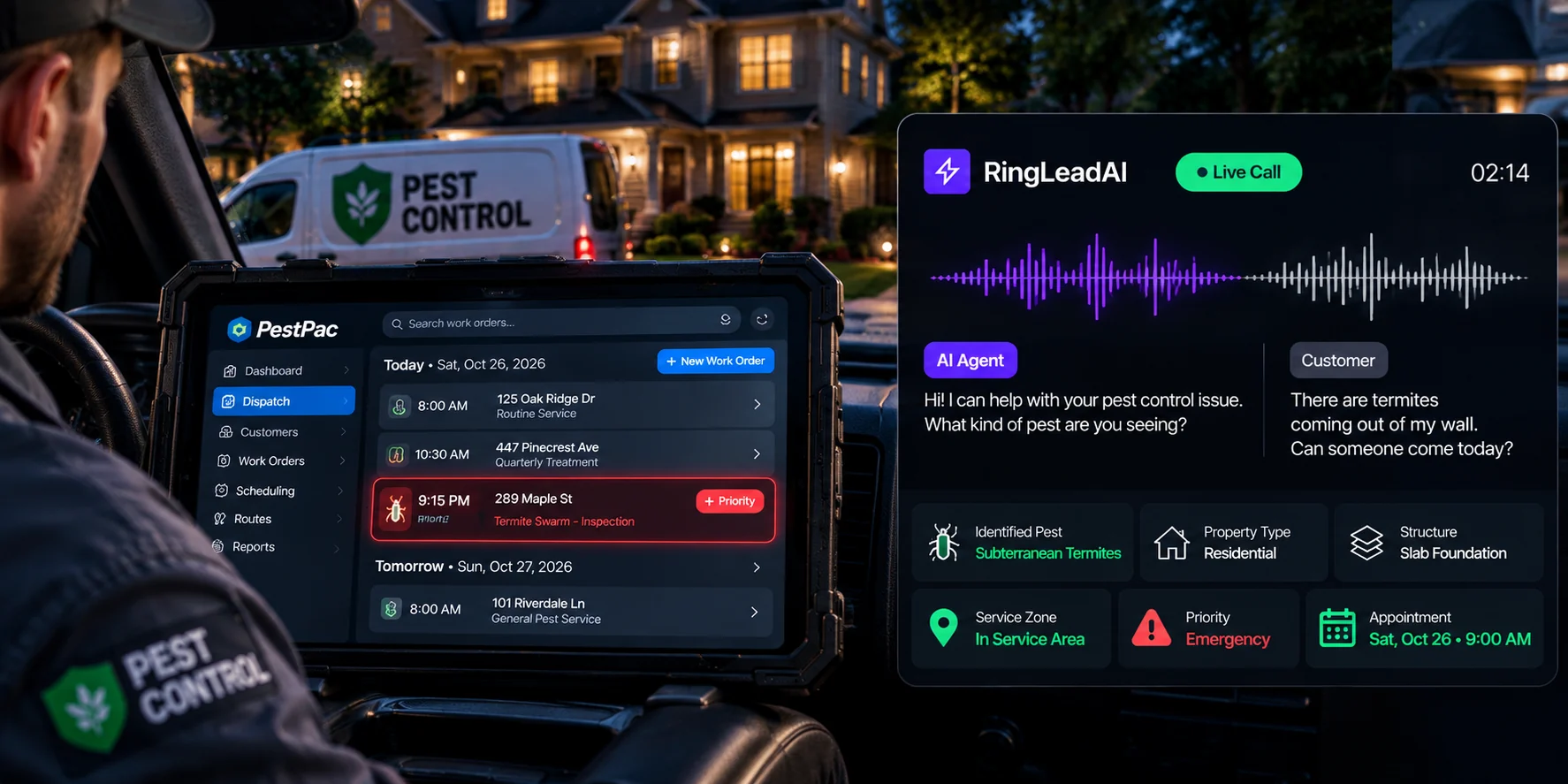
When a subterranean termite swarm breaks through drywall at 9:15 PM on a Saturday, the homeowner does not leave a voicemail. They panic, hang up, and tap the next Google Local Services Ad on their phone.
For pest control operators, an unanswered after-hours call is rarely just a lost spot spray. It can be a lost whole-structure termite treatment, a forfeited quarterly barrier agreement, or a blown commercial kitchen compliance account.
Traditional answering services don't know the difference between drywood swarmers and flying carpenter ants. Voicemail simply tells the caller to hire your competitor.
RingLeadAI bridges the gap: an AI voice agent you configure for pest control intake. It answers straight away, qualifies pest activity, checks the caller is in your service area, quotes your inspection fee, and books the visit — or puts your on-call tech on the line.
Why Pest Control Companies Lose Revenue After Hours
The After-Hours Emergency Gap
Infestations don't work an 8-to-5 shift. Many urgent pest discoveries happen outside standard office hours:
- Homeowners notice German roaches or mice when lights flip on late at night.
- Bed bugs are discovered when packing suitcases or tucking children into bed at 10:00 PM.
- Raccoons, bats, or squirrels in an attic start scratching after midnight.
- Heavy spring rains trigger structural termite swarms on humid weekend afternoons.
When office phones shut down, an expensive lead-attrition cycle begins. A homeowner spots winged insects exiting baseboards at 9:12 PM and clicks a Google Local Services Ad you paid for. Your line rings five times before hitting a generic voicemail greeting, and most callers hang up without leaving a message. By 9:17 PM, that caller has dialed a competitor with live 24/7 intake and confirmed an inspection for the following morning.
Every missed call burns marketing dollars spent on SEO, Google Ads, and vehicle wraps. More dangerously, it directly subsidizes your competitors' growth.
Recurring Revenue: The Compounding Cost of an Unanswered Call
In pest management, initial cleanouts and inspections feed the true engine of company valuation: recurring residential contracts and commercial service agreements.
When you lose a single after-hours call, you lose far more than the initial diagnostic visit. An initial treatment routinely converts into an ongoing maintenance plan, often alongside a termite renewal warranty — and residential customers commonly stay for years. Multiply your own plan price by your average retention to see what one lost caller is really worth; for commercial restaurant accounts, the number is higher still.
When an existing customer spots rodents in their pantry between visits and hits voicemail, confidence erodes. If a commercial restaurant manager facing a health-code inspection warning on Sunday morning gets an answering machine, they may cancel by Monday afternoon. Fast intake is not just a sales tool; it is your frontline defense against customer churn.
Why Voicemail and Generic Answering Services Fail Pest Operators
Many pest control businesses rely on two flawed fallbacks: basic answering machines or third-party human call centers. Neither method protects your bottom line.
| Intake Metric | After-Hours Voicemail | Generic Human Call Center | RingLeadAI Voice Agent |
|---|---|---|---|
| Pickup Speed | 4 to 6 rings | 30 to 90 seconds hold | Answers as soon as the call arrives |
| Pest Identification Context | None | Low (frequently confuses swarming ants with termites) | High (asks the structural and diagnostic questions in your prompt) |
| Scheduling | None | None (takes notes, leaves email/ticket) | Books on your calendar via Cal.com; FSM through its API |
| Emergency Escalation | None | Manual phone tag to on-call tech | Transfers to on-call by your rules; texts the details if no one answers |
| Multilingual Support | Single greeting only | Agent-dependent | Spanish or English agents (16 languages available) |
| Cost Basis | “Free” (loses leads) | Per-minute billing | Predictable subscription |
The Call Center Reality
A generic answering service operator manages calls for medical clinics, towing services, and florists on the same shift. When your customer calls in a panic saying they found mud tubes on their foundation wall, the generic operator simply writes down that the customer sees bugs on a wall and requests a callback.
They do not ask about foundation types, check warranty status, look at technician schedules, or quote initial inspection fees. The customer is left waiting for a callback that often comes hours too late.
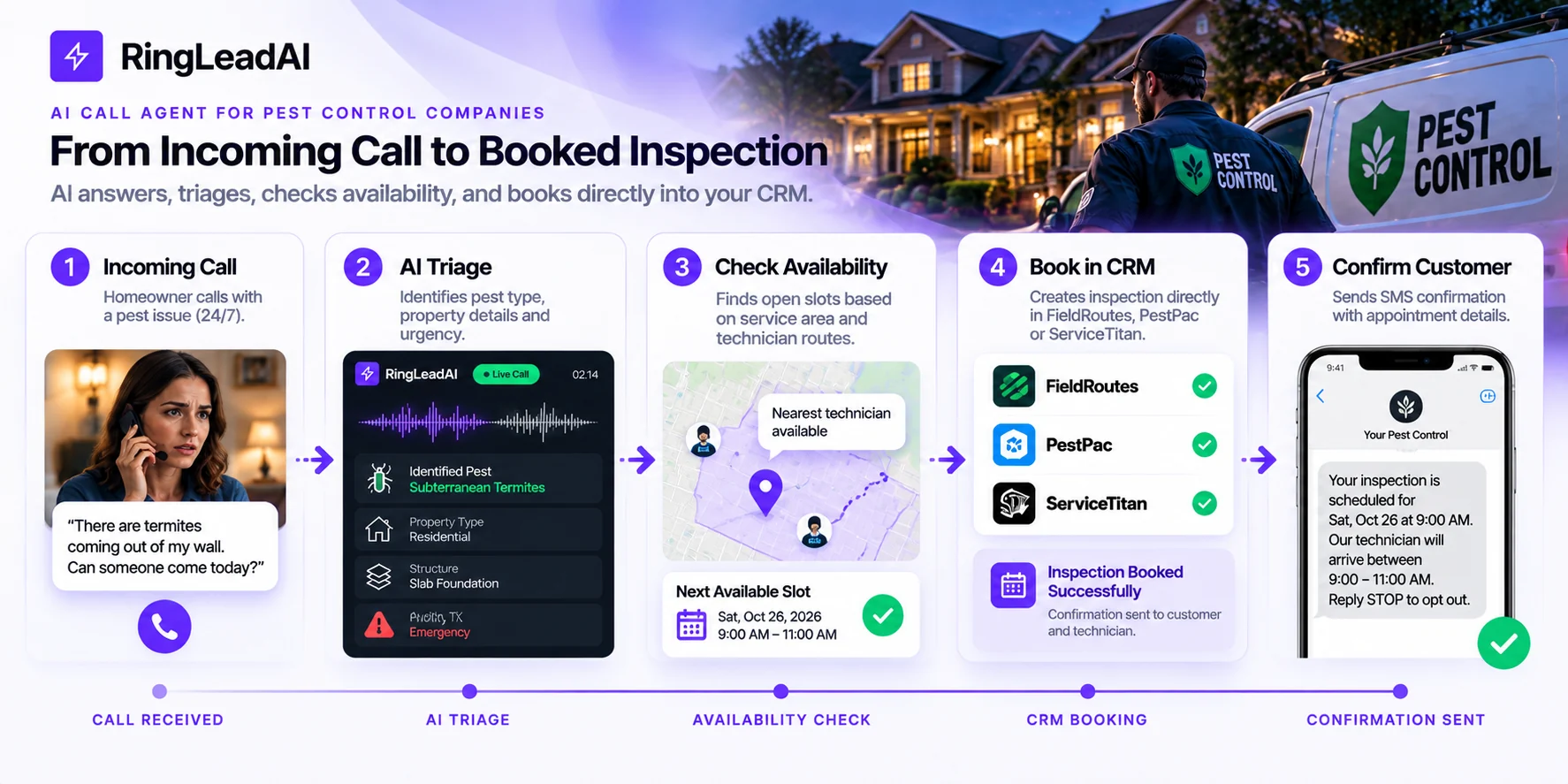
How the AI Call Agent Works: Three-Step Intake & Dispatch
An AI call agent is not a basic chatbot reading an FAQ. In pest management, it operates as an after-hours dispatcher: absorbing the initial panic, capturing structural details, checking the service area, and booking the inspection.
The workflow runs in three phases: Answer, Qualify, and Route.
Step 1: Immediate Capture
Every unanswered ring costs you callers. RingLeadAI picks up 24/7/365 with your branded greeting. The agent identifies itself clearly, offers to transfer to an on-call team member, and asks the caller to describe the issue directly.
There are no multi-tiered phone trees, hold queues, or elevator music:
- Parallel intake: handles weather surges (such as post-rain spring swarmers) with calls answered in parallel, up to the concurrency you set for the agent.
- Brand continuity: answers with your company name and your disclosures, in a voice you choose — or a cloned voice that sounds like your brand.
- Field verification: test the system outside business hours by simulating an active swarm, interrupting the agent with a scheduling constraint, and confirming it adapts without restarting the script.
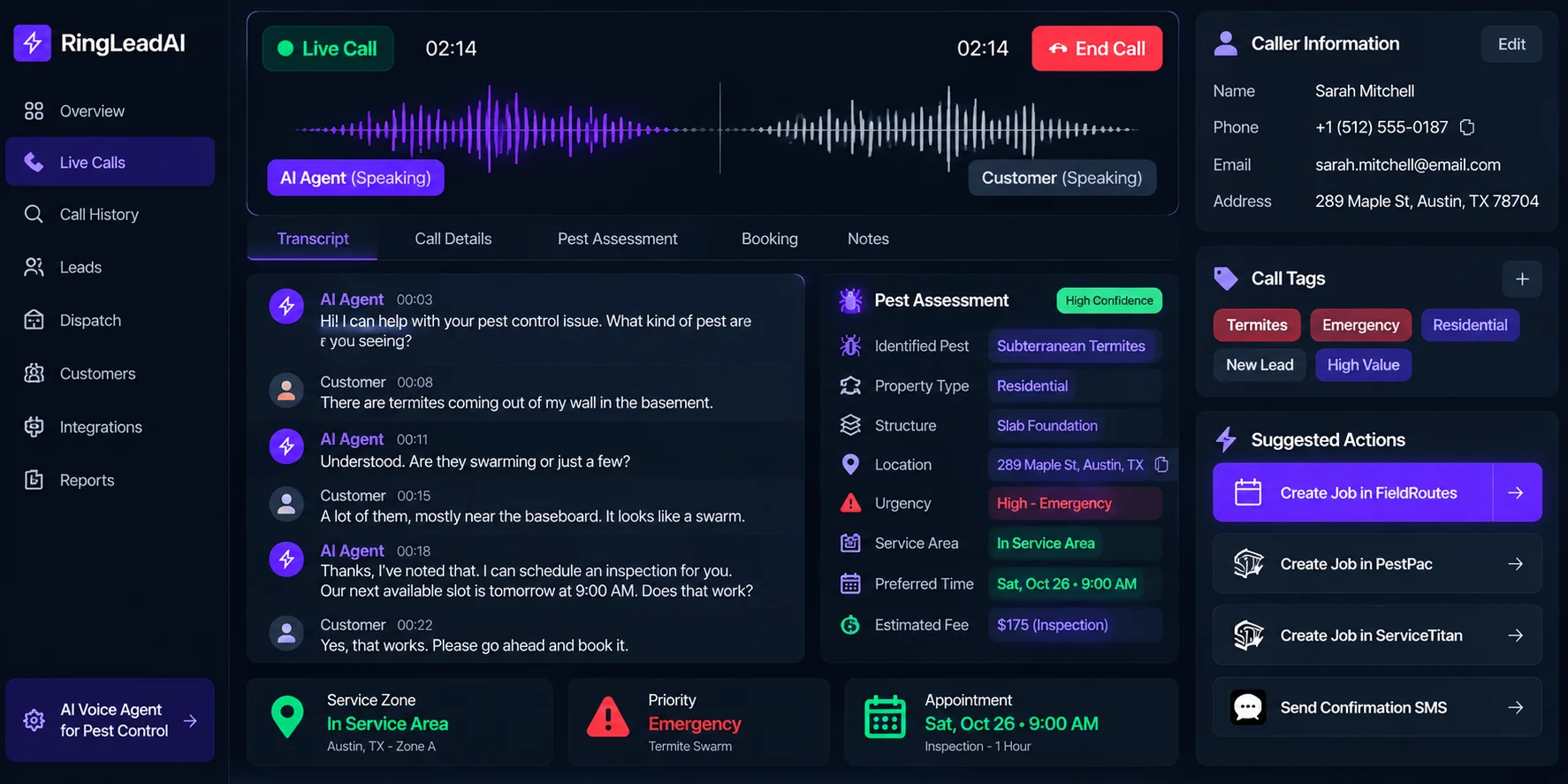
Step 2: Mechanical & Structural Triage
Answering the call means nothing if your technician arrives on-site blind. Write a qualification sequence into the agent's prompt, modeled after veteran pest service managers:
- Pest identification matrix: separates common nuisances (odorous house ants, silverfish, boxelder bugs) from structural and public health emergencies (subterranean termites, bed bug infestations, German cockroaches, rats, or wildlife intrusions).
- Property architecture & foundation type: captures construction specifics — monolithic slab, crawlspace, or finished basement — and identifies commercial food-service facilities versus residential homes.
- Infestation geography: logs the rooms affected, exterior signs (mud tubes, frass, chewed wiring), and whether vulnerable occupants or indoor pets are present.
- New or existing customer: asks whether the caller is a current customer or has an open warranty, and records any account or invoice reference.
For example, when a caller reports nighttime attic scratching, the agent considers roof rats, squirrels, or raccoons, asks whether drywall staining or chewed wiring is visible, confirms where the attic hatch is, and logs the details for an exclusion inspection.
Step 3: Scheduling, Records, and Field Escalation
A qualified lead that doesn't reach the dispatch board is a lead lost to phone tag. Once qualification is complete, the agent follows your dispatch logic:
- Booking: books the inspection on your calendar through Cal.com, which syncs with Google Calendar and Outlook.
- Records: every call's recording, transcript, and summary lands in the Call Library, and the lead syncs to your CRM.
- Fee transparency: quotes your inspection or emergency treatment fee; the caller's acceptance is on the recording.
- Confirmation: texts the caller the arrival window and preparation instructions (e.g., clearing pantry floors or stripping bed linens).
- Emergency escalation: active termite swarms or commercial restaurant emergencies transfer straight to your on-call supervisor — and if nobody answers, the agent takes a message and texts them the details.
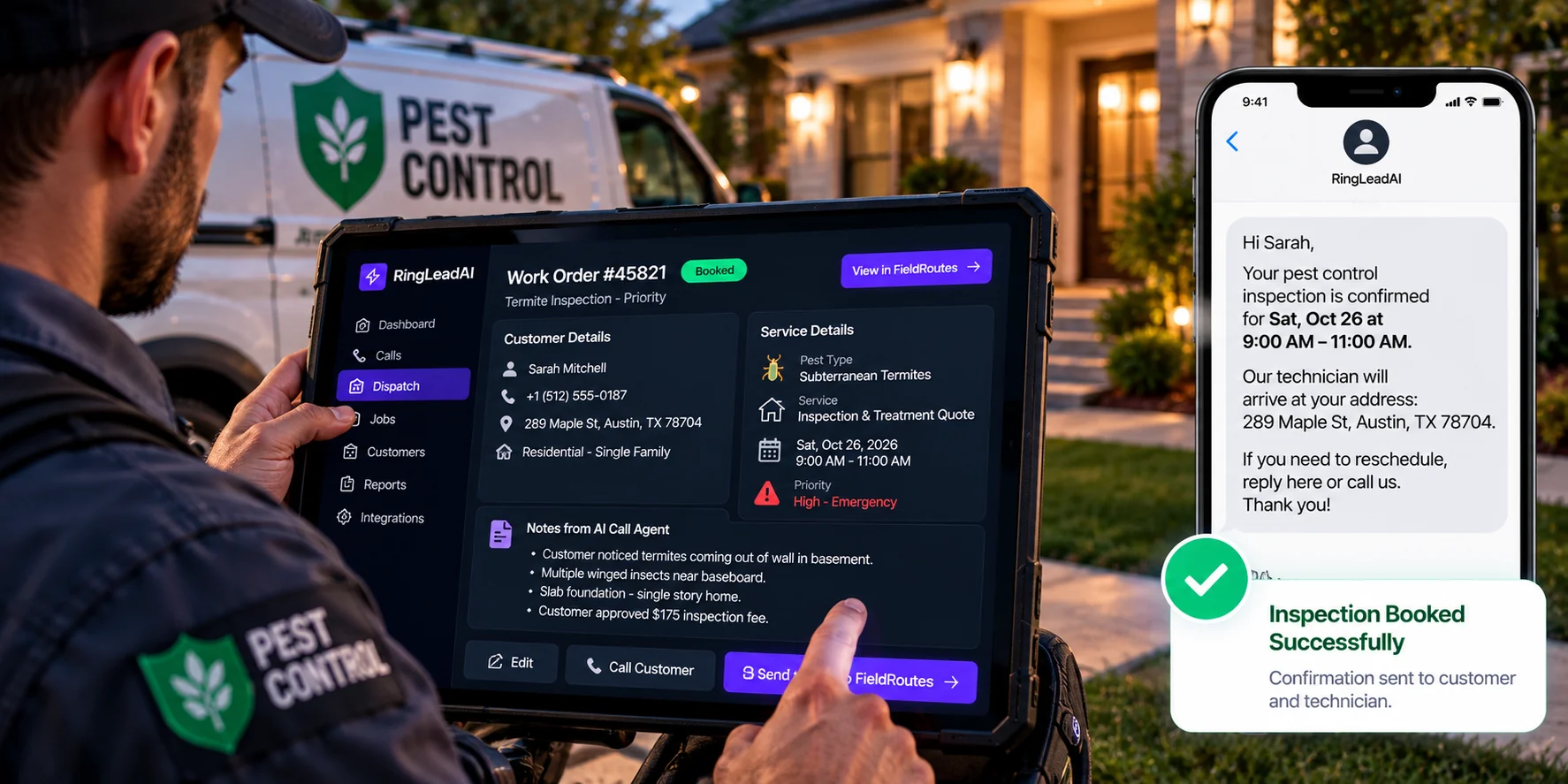
Pest-Specific Triage Scenarios in the Field
Scenario 1: Active Termite Swarm Emergency
- Caller: Reports hundreds of winged insects swarming out of baseboards, unsure if they are ants or termites.
- AI action: Asks about wing length and dried mud tubes. Treats it as a likely structural termite swarm, tells the homeowner not to spray household aerosols into the wall cavity (which can drive termites deeper into the framing), quotes the inspection fee, books the first priority morning window, and alerts the on-call technician.
Scenario 2: Urgent Bed Bug Call
- Caller: Reports finding red bite clusters and small bugs along mattress seams.
- AI action: Identifies property type, checks room count, explains that sleeping areas and upholstery require inspection, advises leaving the mattress in place to avoid spreading eggs, quotes the diagnostic rate, and books a next-day afternoon inspection.
Scenario 3: Spanish-Language Call
- Caller: “Hola, buenas noches. Tengo un problema grave de cucarachas en la cocina y necesito que alguien venga a fumigar.”
- AI action (Spanish-language agent): Conducts the full intake in Spanish, confirms small light-brown roaches concentrated behind appliances (pointing to a German cockroach cleanout), captures address and billing details, and books the initial treatment.
Direct Software Integrations: Zero Double-Handling
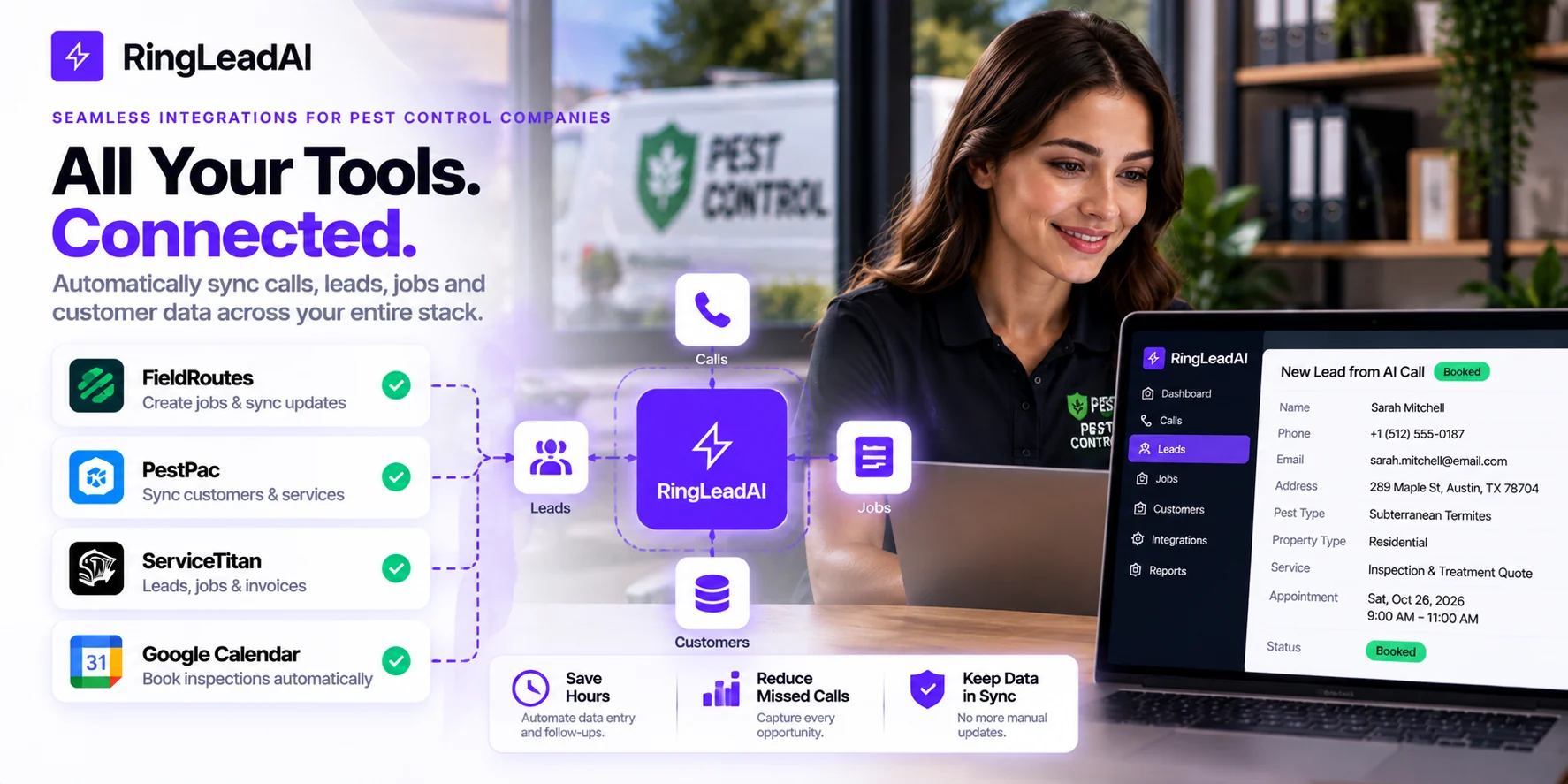
A voice tool that doesn't talk to your operations software creates extra data entry for your front office. Here is what connects in RingLeadAI today:
- Calendars: Cal.com booking during the call, with Cal.com syncing your Google Calendar or Outlook — set buffers between visits to avoid double-booking.
- CRM: native sync with Salesforce, HubSpot, Pipedrive, and Close.
- Alerts and automations: Slack notifications for bookings, signed webhooks, and Zapier.
- During the call: the API request tool lets the agent call any REST API you authorise.
- Call tracking: point CallRail or Invoca tracking numbers at the agent's number; the tracking platform keeps the campaign source, so Google Ads and LSA attribution survives.
Measuring Real ROI: Cost per Booked Job
Do not evaluate voice intake systems on raw monthly software prices or per-minute rates. The metric that matters to an operator is cost per completed, booked job.
Worked example (assumptions — swap in your own): a mid-sized fleet running four to eight technicians with 450 monthly inbound calls, of which 25% (112 calls) arrive after hours or go unanswered. If the AI agent captures 95 of those calls and converts 35% into booked jobs, the company adds 33 appointments in month one. At an average initial service ticket of $285, that is $9,405 in direct revenue. Converting 40% of those visits into maintenance contracts at $480 a year adds another $6,240 in annual recurring value — over $15,000 in total business value from the first month.
Compare that with the subscription on RingLeadAI's pricing page: a couple of initial treatments typically covers it.
Operational Readiness Checklist Before Going Live
Follow this sequence before pointing live traffic to your AI call agent:
Phase 1: Integrations & Service Area
Connect Cal.com and your CRM, and your FSM through the API request tool or webhooks/Zapier. Write your service-area zip codes into the agent's prompt, and set calendar buffers between stops (standard: 30 to 45 minutes).
Phase 2: Commercial & Dispatch Guardrails
Set standard inspection fees and emergency rates. Establish escalation rules: routine pests go to the next calendar slot, active swarms or kitchen rodent sightings transfer to on-call, and life-safety concerns go to a live manager.
Phase 3: Live Dry-Run Simulation
Place test calls simulating active termite swarms, check the advice against spraying store-bought chemicals, confirm the record appears in the Call Library and your CRM, verify the SMS confirmation with prep instructions, then turn on after-hours forwarding to the agent's number.
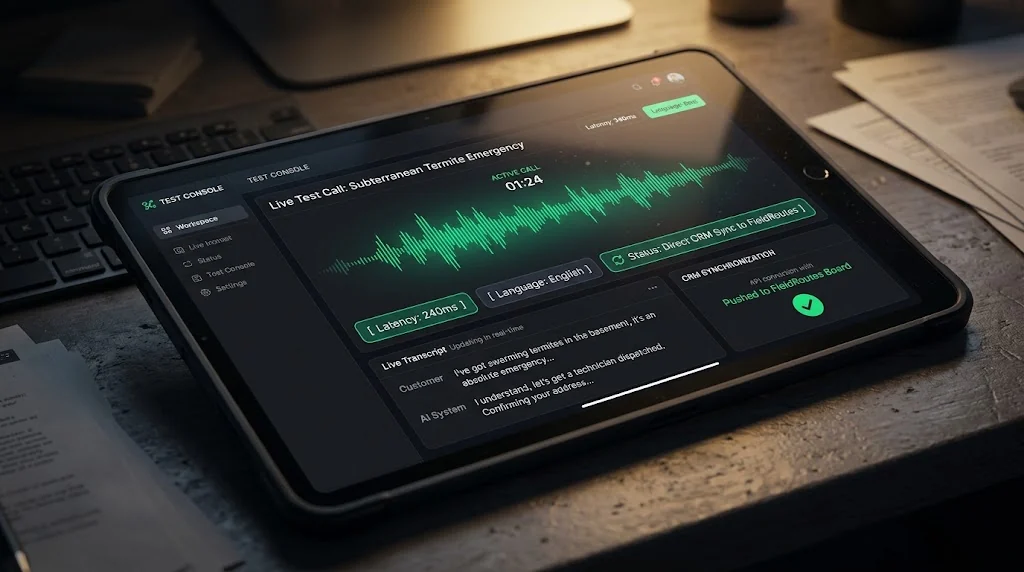
Test the System on Your Real Call Scenarios
Missed calls aren't a marketing problem — they are an intake bottleneck. Before putting an automated dispatch agent on your primary business line, test it against the toughest scenarios your office encounters.
1. Book a personalized demo. Walk through your field operations with our team: your service area, your schedule, and a live booking from a test call. Contact sales.
2. Run your own test calls. Build an inbound agent in the free trial and treat it like an after-hours emergency:
- Report an active termite swarm emerging from a living room baseboard.
- Request a multi-room bed bug inspection.
- Call your Spanish-language agent with a roach problem.
- Interrupt the agent to change your service address.
Evaluate the conversation, the triage accuracy, and the booking firsthand.